Stick transparency
Overview
The setting "stick_transparency" allows one to set the degree of transparency for stick objects, independent of all other objects. Allowable values range from 0 (fully opaque) to 1 (fully transparent, i.e. invisible).
Usage
set stick_transparency, F, objectname
set_bond stick_transparency, F, selection
where F is a floating point number in the range [0.0 - 1.0], and objectname is the object to apply the changes to. If ObjectName is omitted, then the transparency of all stick representations will be changed.
To apply this setting to a selection, use "set_bond" syntax
set_bond stick_transparency, 0.7, */n+c+ca+o
For the value of F=1.0 sticks will be completely transparent/invisible and for F=0.0 sticks are solid/opaque.
Examples
set stick_transparency, 0.50 # Makes sticks 50-percent transparent
Open the images to actually see the details!
-
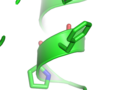 sticks with no transparency
 -
 sticks with 0.5 transparency
 -
 sticks with 0.9 transparency


Note
Stick transparency works best with "unilayer" transparency (Setting menu > transparency > Unilayer) rather than "multilayer", which leads to odd artifacts where the sticks join.
-
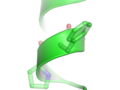 sticks with 0.5 transparency and multilayer transparency
