FocalBlur
| Type | Python Script |
|---|---|
| Download | focal_blur.py |
| Author(s) | Jarl Underhaug |
| License | - |
| This code has been put under version control in the project Pymol-script-repo | |

Description
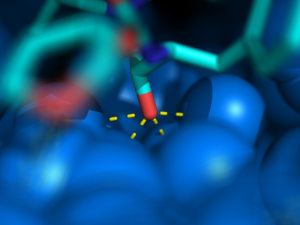
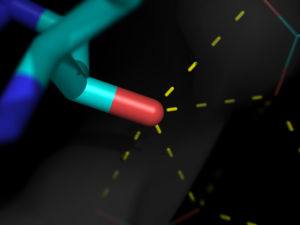
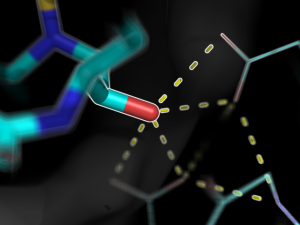
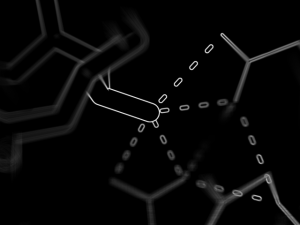
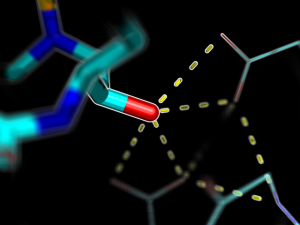
This script creates fancy figures by introducing a focal blur to the image. The object at the origin will be in focus.
Usage
Load the script using the run command. Execute the script using PyMOL syntax:
FocalBlur aperture=2.0,samples=20,ray=1
or using python syntax:
FocalBlur(aperture=2.0,samples=20,ray=1)
For additional options, see the script comments.
Notes
- When using raytracing, the image creation will take n times longer than normal, where n is the number of samples.
- The aperture is related to the aperture on a camera, and is inversely proportional to the f-number.
Bugs
- FocalBlur uses the Python Image Library (PIL), a necessary components of PIL is missing in the Windows version of PyMOL
- There is a bug when not using ray tracing with the free version of PyMOL
Examples
-
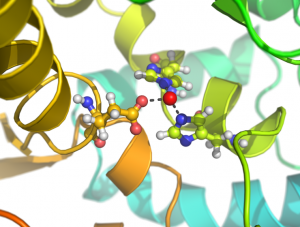 FocalBlur aperture=1,samples=100,ray=1
 -
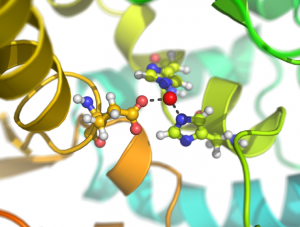 FocalBlur aperture=2,samples=100,ray=1
 -
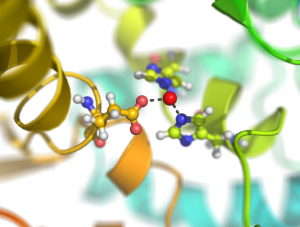 FocalBlur aperture=4,samples=400,ray=1
 -
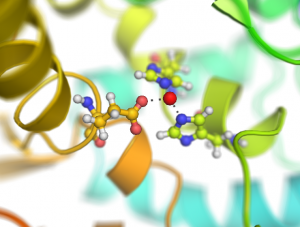 FocalBlur aperture=4,samples=400,ray=0
 -
-
-
-
-


Script
Load the script using the run command
from pymol import cmd
from tempfile import mkdtemp
from shutil import rmtree
from math import sin,cos,pi,sqrt
from PIL import Image

def FocalBlur(aperture=2.0,samples=10,ray=0,width=0,height=0):
    '''
DESCRIPTION

    Creates fancy figures by introducing a focal blur to the image. The object
    at the origin will be in focus.

AUTHOR

    Jarl Underhaug
    University of Bergen
    jarl_dot_underhaug_at_gmail_dot_com

    Updates by Jason Vertrees and Thomas Holder

USAGE

    FocalBlur aperture=float, samples=int, ray=0/1, width=int, height=int

EXAMPELS

    FocalBlur aperture=1, samples=100
    FocalBlur aperture=2, samples=100, ray=1, width=600, height=400
    '''

    # Formalize the parameter types
    ray = (ray in ("True", "true", 1, "1"))
    aperture, samples = float(aperture), int(samples)
    width, height = int(width), int(height)

    # Create a temporary directory
    tmpdir = mkdtemp()

    # Get the orientation of the protein and the light
    light = cmd.get('light')[1:-1]
    light = [float(s) for s in light.split(',')]
    view = cmd.get_view()

    # Rotate the protein and the light in order to create the blur
    for frame in range(samples):
        # Angles to rotate protein and light
        # Populate angles as Fermat's spiral
        theta = frame * pi * 110.0/144.0
        radius = 0.5 * aperture * sqrt(frame/float(samples-1))
        x = cos(theta) * radius
        y = sin(theta) * radius
        xr = x/180.0*pi
        yr = y/180.0*pi

        # Rotate the protein
        cmd.turn('x',x)
        cmd.turn('y',y)

        # Rotate the light
        ly = light[1]*cos(xr)-light[2]*sin(xr)
        lz = light[2]*cos(xr)+light[1]*sin(xr)
        lx = light[0]*cos(yr)+lz*sin(yr)
        lz = lz*cos(yr)-lx*sin(yr)
        cmd.set('light',[lx,ly,lz])

        curFile = "%s/frame-%04d.png" % (tmpdir,frame)
        print "Created frame %i/%i (%0.0f%%)" % (frame+1,samples,100*(frame+1)/samples)

        # Save the image to temporary directory
	if ray:
                cmd.ray(width,height)
                cmd.png(curFile)
	else:
        	cmd.png(curFile,quiet=1)

        # Create the average/blured image
        try:
            avg = Image.blend(avg,Image.open(curFile),1.0/(frame+1))
        except:
            avg = Image.open(curFile)

        # Return the protein and the light to the original orientation
        cmd.set('light',light)
        cmd.set_view(view)

    # Load the blured image
    avg.save('%s/avg.png' % (tmpdir))
    cmd.load('%s/avg.png' % (tmpdir))

    # Delete the temporary files
    rmtree(tmpdir)

cmd.extend('FocalBlur', FocalBlur)