CgoCircle
Overview
This script will create a CGO circle with the origin at the specified X,Y,Z coordinates. Also, you can specify the radius and the colors. See the examples.
If you want to draw a circle around an object or selection, use circleSelection. If you want pure flexibility over your circle then use cgoCircle.
There are two functions here:
cgoCircle
- — creates a CGO circle at some user-specified location
circleSelection
- —creates a circle around the named object or selection.
-
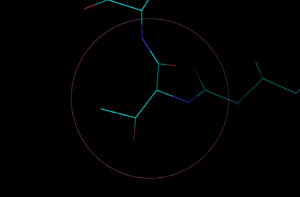 Drawn circle.
 -
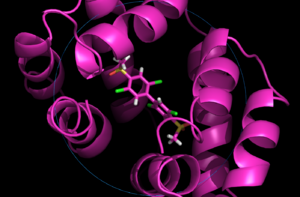 CGO circle.
 -
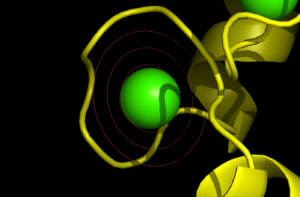 Circles of specified radius.
 -
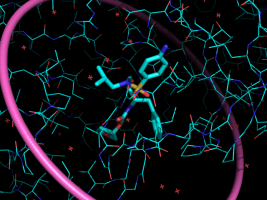 Circle with specified width.
 -
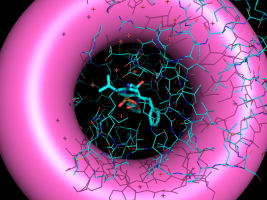 Circle with a line width of 150. Pores anyone?


Usage
import math
import pymol
from pymol.cgo import *
import random

def cgoCircle(x, y, z, r=8.0, cr=1.0, cg=0.4, cb=0.8, w=2.0):
  """
  Create a CGO circle

  PARAMS
        x, y, z
          X, Y and Z coordinates of the origin

        r
          Radius of the circle

        cr, cg, cb
          Color triplet, [r,g,b] where r,g,b are all [0.0,1.0].

        w
          Line width of the circle

  RETURNS
        the CGO object (it also loads it into PyMOL, too).

  """
  x = float(x)
  y = float(y)
  z = float(z)
  r = abs(float(r))
  cr = abs(float(cr))
  cg = abs(float(cg))
  cb = abs(float(cb))
  w = float(w)

  obj = [ BEGIN, LINES, COLOR, cr, cg, cb ]
  for i in range(180):
        obj.append( VERTEX )
        obj.append(r*math.cos(i) + x )
        obj.append(r*math.sin(i) + y )
        obj.append(z)
        obj.append( VERTEX )
        obj.append(r*math.cos(i+0.1) + x )
        obj.append(r*math.sin(i+0.1) + y )
        obj.append(z)
  obj.append(END)

  cName = cmd.get_unused_name("circle_")
  cmd.load_cgo( obj, cName )
  cmd.set("cgo_line_width", w, cName )
  return obj


def circleSelection( selName, r=None, cr=1.0, cg=0.4, cb=0.8, w=2.0 ):
  """
  circleSelection -- draws a cgo circle around a given selection or object

  PARAMS
        selName
          Name of the thing to encircle.

        r
          Radius of circle.
          DEFAULT: This cript automatically defines the radius for you.  If
          you select one atom and the resultant circle is too small, then
          you can override the script's calculation of r and specify your own.

        cr, cg, cb
          red, green and blue coloring, each a value in the range [0.0, 1.0]

  RETURNS
        The circle object.

  """
  ((minX, minY, minZ), (maxX, maxY, maxZ)) = cmd.get_extent(selName)

  if r==None:
        r = max( [maxX-minX, maxY-minY, maxZ-minZ] )

  stored.coords = []
  cmd.iterate_state(1, selName, "stored.coords.append([x,y,z])")
  l = len(stored.coords)

  centerX = sum(map(lambda x: x[0], stored.coords)) / l
  centerY = sum(map(lambda x: x[1], stored.coords)) / l
  centerZ = sum(map(lambda x: x[2], stored.coords)) / l

  return cgoCircle( centerX, centerY, centerZ, r, cr, cg, cb, w )


cmd.extend( "cgoCircle", cgoCircle )
cmd.extend( "circleSelection", circleSelection )
Updates
- Line width option
- better circle naming